Browser Compatibility Website Design & Web Browsers Over the Last 28 Years
Web browsers over the last 28 years by Eeagli
Website development has changed significantly since blueunderground [ web + design ] began creating websites in the 1990s. The web has moved through many browser eras, from early desktop browsers to today’s mix of Chrome, Safari, Edge, Firefox, mobile browsers, tablets, and embedded browser environments. Those changes are one reason Browser Compatibility Website Design remains an important part of professional website planning.
This article features Eeagli’s video about web browsers over the last 28 years. The video is a useful reminder that website design is never only about how a page looks in one browser on one screen. A website has to remain usable, readable, and functional as browsers change, devices change, privacy settings change, and visitor expectations continue to rise.
When the video was made in 2022, Google Chrome had a very large share of browser usage. Even so, no responsible website plan should assume that every visitor uses the same browser, device, screen size, operating system, or connection. Browser Compatibility Website Design helps reduce that risk by considering how a site performs across real-world browsing conditions.
For businesses and organizations, browser compatibility is not an abstract technical topic. It affects whether visitors can read content, use navigation, complete forms, watch videos, click phone numbers, view galleries, and take the next step. Browser Compatibility Website Design protects those everyday interactions while keeping the site aligned with how people actually browse.
Browser Compatibility Website Design and Why Browsers Still Matter
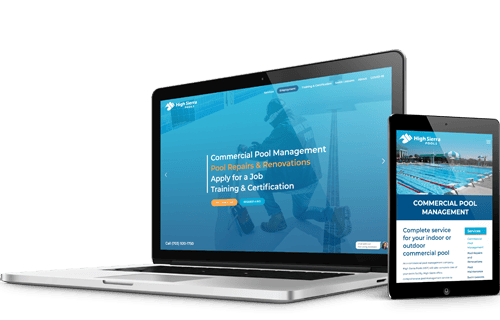
Browser Compatibility Website Design matters because every browser interprets website code, images, forms, scripts, fonts, and layouts through its own rendering engine and update cycle. Modern browsers are more consistent than they were in the early years of the web, but differences still appear. Navigation menus, contact forms, animations, embedded videos, fonts, image layouts, payment buttons, maps, and interactive features can behave differently from one browser to another.
Those differences are especially important for business websites. A visitor who cannot read a page, submit a form, tap a phone number, open a menu, or complete a basic action may leave without contacting the company. Browser compatibility is therefore not only a technical detail. It directly affects user experience, lead generation, accessibility, and trust.
Browser Compatibility Website Design also supports long-term website management. Browsers update frequently. WordPress, plugins, themes, analytics scripts, security tools, forms, and embedded media can also change over time. A site that worked well at launch can develop small issues later if it is not reviewed and maintained. That is one reason blueunderground considers browser behavior as part of creating and managing websites.
The web browser history shown in Eeagli’s video makes this easier to understand. Browser popularity changes, browser engines change, and user habits change. A website built only for one moment in time can age quickly if it is not created with flexibility. Browser Compatibility Website Design helps a site remain useful as the browsing environment keeps moving.
What Browser History Teaches Website Owners
The history of web browsers shows how quickly the web can change, and why Browser Compatibility Website Design remains useful for long-term website planning. Browsers that once dominated the market can lose relevance. New browsers can emerge. Mobile usage can reshape expectations. Standards improve, but so do the demands placed on websites. A website owner does not need to follow every browser trend in detail, but it is useful to understand that websites exist in a changing environment.
That changing environment is one reason an older website may begin to feel dated even if the content is still accurate. A design created for an earlier browser era may not support current mobile behavior, modern screen sizes, newer accessibility expectations, updated security practices, or current performance standards. Browser Compatibility Website Design helps businesses keep their websites aligned with how people browse now.
Older websites can also depend on features that no longer behave the same way. Fonts may render differently. Images may not scale well. A layout may break on smaller screens. Forms may be difficult to use on mobile devices. Embedded media may not load as expected. A browser update may expose a problem that was previously hidden. Browser Compatibility Website Design helps identify and reduce those issues before they affect visitors.
For blueunderground, the lesson is practical. A website should be designed and maintained with enough flexibility to serve visitors over time. Browser compatibility, responsive design, WordPress maintenance, content updates, security, backups, and performance all work together to keep a website useful after launch.
Cross-Browser Website Testing for Business Websites
Cross-browser testing is a practical part of Browser Compatibility Website Design because it helps confirm that a website works across the browsers and devices people actually use. That does not mean every browser needs to look pixel-perfect in exactly the same way. It means the website should remain clear, functional, and appropriate wherever reasonable visitors are likely to encounter it.
A practical testing process may include desktop and mobile views, common browsers, responsive breakpoints, page speed, forms, menus, media, buttons, images, and important conversion paths. For a WordPress website, testing should also consider how templates, plugins, forms, caching, image optimization, and updates interact with the visible page.
Browser Compatibility Website Design is strongest when it is built into the process rather than treated as a last-minute fix. Clean code, responsive layouts, well-supported plugins, reliable hosting, image optimization, careful typography, and regular maintenance all help reduce compatibility problems. When those elements are handled together, the website is more likely to remain stable as browsers evolve.
Cross-browser review should focus first on the pages and actions that matter most. A homepage, contact page, service page, form, donation page, portfolio page, product page, restaurant menu, event listing, or appointment request may deserve special attention because those pages support important visitor decisions. Browser Compatibility Website Design helps prioritize those high-value interactions without overcomplicating the review.
Testing also helps reveal small usability problems that can be easy to miss. A button may sit too close to another element on mobile. A menu may require too many taps. A form label may be hard to read. A column may stack in a confusing order. A video may need a clearer surrounding explanation. A business website is stronger when those details are reviewed before visitors find them.
Responsive Design and Browser Compatibility
 Responsive design and Browser Compatibility Website Design are closely related. Responsive design helps a website adapt to different screen sizes. Browser compatibility helps the site remain functional across the software people use to view it. A strong website needs both. A page can be responsive but still behave poorly in a specific browser, and a page can work in one browser but fail on a smaller device.
Browser Compatibility Website Design looks at the whole experience. It considers how navigation collapses, how images scale, how text wraps, how buttons behave, how embedded media loads, and how forms work across devices. It also considers how a website feels to the person using it. A visitor should not have to understand browser differences to use a website.
This matters because visitors rarely compare browsers before contacting a business. They simply open a link from search, email, social media, a referral, or a saved bookmark. The website either works for them or it does not. Browser Compatibility Website Design helps make that first visit more dependable.
Responsive planning also supports accessibility and readability. A website should use clear hierarchy, legible text, strong contrast, sensible spacing, and practical navigation. Those qualities support people using different browsers, screen sizes, and devices. They also make the website feel more professional and easier to trust.
Browser Compatibility Website Design for WordPress Websites
WordPress websites benefit from browser-aware planning because WordPress sites often combine themes, templates, plugins, forms, galleries, embedded media, tracking scripts, and content-management tools. Each component can affect how the site appears or behaves in different browsing environments.
Good Browser Compatibility Website Design for WordPress includes more than checking a homepage in one browser. It means reviewing key page templates, mobile layouts, navigation, forms, image galleries, embedded videos, buttons, and calls to action. It also means paying attention after updates, because a plugin, theme, or browser change can affect a site that previously worked as expected.
blueunderground creates and manages WordPress websites with those practical details in mind. Learn more about blueunderground’s WordPress Website Design services and how a custom WordPress website can support content management, responsive design, browser compatibility, and long-term website growth.
WordPress support does not end when a site launches. A WordPress website may need plugin updates, theme updates, security review, backups, content changes, redirects, image optimization, and troubleshooting. blueunderground’s WordPress Maintenance services can help preserve the value of a website as browsers, WordPress, plugins, and user expectations continue to change.
Browser Compatibility Website Design is especially useful when a WordPress site has interactive features. Forms, maps, calendars, galleries, sliders, pop-ups, menus, ecommerce tools, embedded videos, and third-party scripts can all introduce browser-specific behavior. Careful setup and ongoing maintenance help keep those features more reliable.
Website Design and Development That Looks Beyond One Browser
Professional website design should not be limited to a single ideal preview. A design may look perfect in the editor, but visitors experience it through their own browsers, devices, and settings. That is why Browser Compatibility Website Design belongs inside a broader website design and development process.
blueunderground’s Website Design & Website Development work combines visual design, content structure, responsive layouts, technical implementation, and ongoing website support. Browser behavior is one of the details that connects those pieces. A beautiful design still needs to load, scale, respond, and function in the browsing conditions visitors use.
Website development decisions can reduce browser problems before they appear. Modern HTML, reliable CSS, sensible JavaScript, optimized images, careful plugin selection, and clean template structure all help. So does avoiding overly fragile effects that depend on one browser behaving exactly like another.
Browser Compatibility Website Design also supports content strategy. If a website has clear headings, concise paragraphs, well-labeled links, and logical navigation, it is easier for users to understand even when screen sizes and browser settings vary. Strong content structure gives the design more resilience.
For organizations that depend on their websites, this broader approach is important. A website may support inquiries, donations, events, applications, menus, service requests, sales, recruiting, or public information. Browser Compatibility Website Design helps protect those goals by reducing friction at the point where a visitor is trying to act.
Common Browser Compatibility Problems
Browser Compatibility Website Design matters because browser compatibility problems are not always dramatic. Sometimes they appear as small details that still affect confidence. A heading may wrap awkwardly. A form button may be difficult to tap. A background image may crop in an unintended way. A mobile menu may cover content. An embedded video may not size correctly. A gallery may load too slowly. Browser Compatibility Website Design helps identify these issues before they shape a visitor’s impression.
Other problems are more serious. A contact form may fail. A checkout page may not submit. A cookie notice may block a key action. A layout may hide important text. A map may not appear. A script conflict may prevent a page from loading correctly. A website that seems fine in one browser may lose leads in another.
Compatibility issues can also come from updates. A browser update may change behavior. A WordPress plugin update may affect front-end output. A theme update may alter layout. A caching change may expose an old script. That is why Browser Compatibility Website Design should be paired with practical maintenance and review, not treated only as a one-time launch checklist.
Many problems can be prevented with a disciplined build process. Keep the structure simple where possible. Use reliable tools. Test important pages. Avoid unnecessary effects. Maintain the site. Review changes after updates. Browser Compatibility Website Design works best when those habits are part of the website’s ongoing care.
Browser Compatibility and User Trust
Browser Compatibility Website Design supports user trust because people often judge a website quickly. If the page feels broken, outdated, hard to use, or inconsistent, visitors may question the organization behind it. That judgment can happen even when the business itself is strong and the content is accurate.
A website that works smoothly across browsers feels more dependable. Menus open as expected. Forms are clear. Links work. Images support the content. Videos load in a sensible place. Text remains readable. Calls to action are easy to find. These details build confidence because the site feels cared for.
Trust is especially important for professional service firms, nonprofits, restaurants, contractors, associations, creative organizations, and businesses that rely on inquiry forms or phone calls. Visitors may not know the technical reason something feels wrong, but they notice friction. Browser Compatibility Website Design helps remove unnecessary friction from the experience.
Strong browser compatibility also helps teams inside the organization. Staff members, clients, board members, donors, vendors, and partners may use different browsers and devices. A more consistent website reduces confusion and support questions because everyone is more likely to see a functional version of the same information.
Website Management After Browser and WordPress Updates
Browser Compatibility Website Design is not finished on launch day. Browsers continue to update, and websites continue to change. A business may add pages, update forms, publish articles, add videos, install plugins, change hosting, update WordPress, adjust security settings, or add tracking tools. Each change can affect how the website behaves.
Browser Compatibility Website Design works best with ongoing website management. After important updates, key pages should be reviewed. Forms should be tested. Menus should be checked on mobile devices. Important calls to action should remain visible. Embedded videos and third-party tools should still work.
Ongoing review does not have to be overly complicated. The goal is to make sure the website continues to support the organization’s needs. For many businesses, a few important workflows matter most: can visitors understand the services, contact the organization, view key content, and take the desired next step? Browser Compatibility Website Design helps keep those workflows reliable.
Website owners also benefit from having a clear support relationship. When something changes, they need someone who can review the issue, identify whether it is a browser problem, a WordPress issue, a plugin conflict, a hosting matter, or a content update need. That kind of practical support helps protect the website over time.
Website Design Experience Across Browser Generations
blueunderground began creating websites in the 1990s, when the web was far less standardized than it is today. Since then, website development has moved through many browser generations, design trends, coding practices, screen sizes, and content-management systems. That long view is useful because it shows how much of web design depends on adaptation.
Browser Compatibility Website Design is part of that adaptation. The goal is not to chase every trend or overbuild for obscure edge cases. The goal is to make smart design and development choices that support real users, real devices, and real business needs. A well-built website should help visitors find information, understand a company’s services, and take the next step without browser-related friction.
Experience across browser generations also helps with judgment. Not every small difference is a serious problem, and not every visual preference is worth rebuilding. The important question is whether the website remains clear, functional, accessible, and appropriate for the visitor. Browser Compatibility Website Design helps focus attention on those practical outcomes.
Eeagli’s web browser video is a visual reminder of how the web has changed and how quickly familiar technology can shift. Eeagli’s videos can be an inspiration, and more from Eeagli is available at youtube.com/jameseaglefilms.
Browser Compatibility Website Design Checklist
A practical Browser Compatibility Website Design review should include the homepage, primary service pages, contact forms, navigation menus, embedded video, image galleries, mobile layouts, phone links, buttons, and important calls to action.
For a WordPress site, browser compatibility review should also include plugin-dependent features, theme templates, form confirmations, caching behavior, image optimization, responsive breakpoints, and updated content areas.
For an older website, this kind of review can identify issues created by outdated layouts, older code, unsupported browser behavior, small-screen problems, slow media, or forms that no longer work cleanly across devices.
For a new website, Browser Compatibility Website Design should be part of planning, design, development, testing, launch review, and ongoing maintenance. When this work is included from the beginning, the finished site is more likely to feel stable and professional across the browsers visitors actually use.
- Navigation that remains consistent across desktop and mobile browsers.
- Contact forms and lead-generation paths that continue to work for real visitors.
- Embedded video, image galleries, maps, and interactive content that support the page instead of creating friction.
- Responsive WordPress layouts that hold up across common browsers and devices.
- Older websites reviewed against current browsing expectations.
- A more dependable public-facing website experience for prospective clients, customers, donors, and supporters.
Browser Compatibility Website Design is ultimately about making the website easier to trust. Visitors should be able to read, browse, watch, click, submit, and contact without needing to think about the browser behind the experience.
Why Browser Compatibility Still Belongs in Website Planning
Browser compatibility is easy to overlook when a website looks correct on the designer’s screen. The real test is whether the website works for the broader audience. Visitors may arrive from search engines, social media, email links, bookmarks, mobile devices, tablets, office computers, old laptops, or newer browsers with privacy and security settings that affect how pages load.
Browser Compatibility Website Design helps protect that experience. It supports responsive layouts, readable typography, stable navigation, working forms, usable content, and a more dependable brand impression. For businesses, nonprofits, professional firms, restaurants, contractors, and service organizations, those details can make the difference between a visitor who engages and a visitor who leaves.
The browser landscape will continue to change. Website owners do not need to manage every technical detail themselves, but they should work with a web design partner that understands how browser compatibility, responsive design, WordPress support, and long-term maintenance fit together. For blueunderground, those details are part of building and managing websites that continue to serve visitors well after launch.
![blueunderground [ web + design ]](https://blueunderground.com/wp-content/uploads/2023/12/blueunderground-logo-2023-footer.svg)

